SURPG ability controls and Ring Capsule unlock
Use your unlocked abilities to travel faster, follow Ring trails, teleport and collect Rings. Ring Capsule adds starting Rings after you complete Cachi's quest.
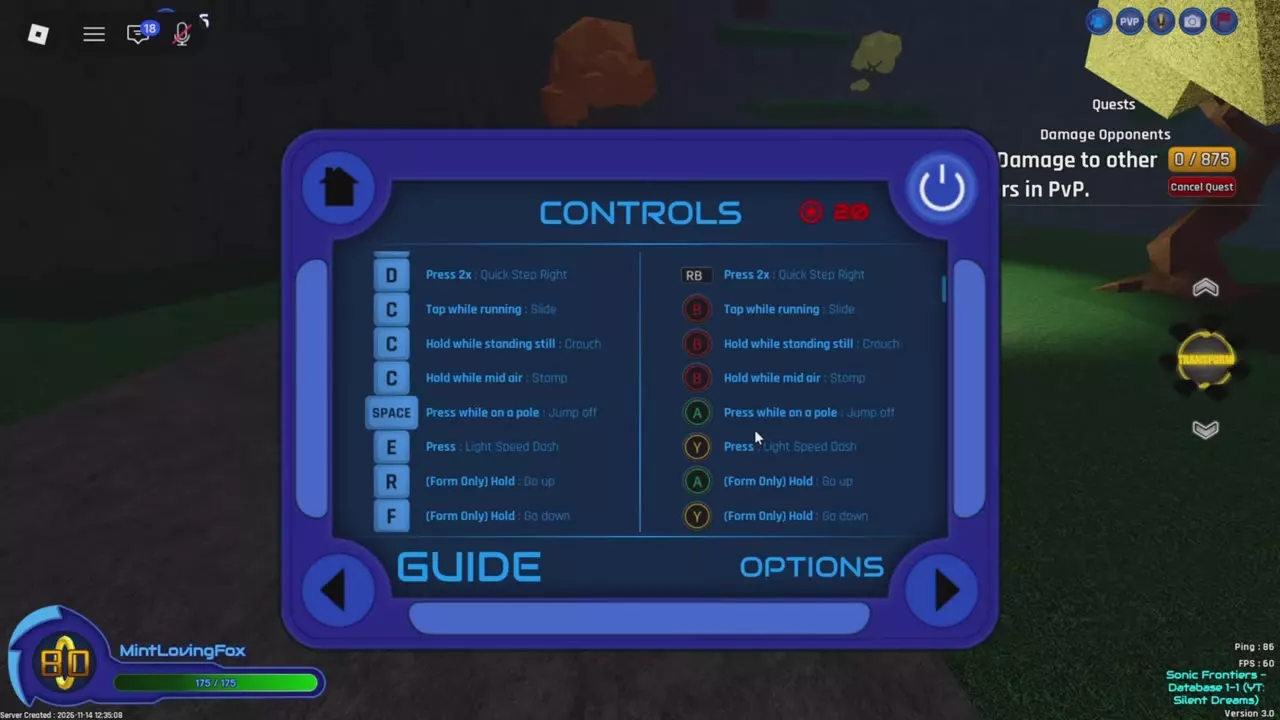
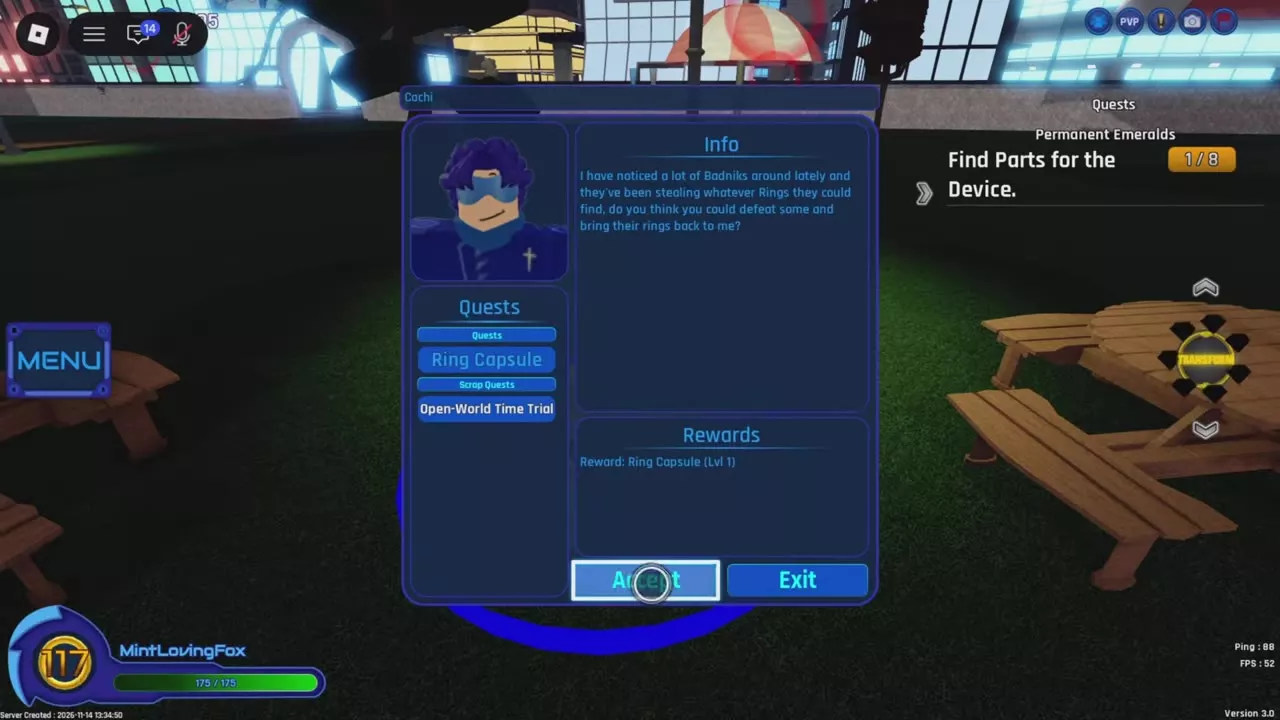
For Turbo Boost with the Q/T keyboard mapping, hold Q to Boost, then tap T. Near a suitable Ring trail, press E on keyboard or Y on controller for Light Speed Dash. With Chaos Control unlocked on a server supporting expanded chat options, send “Chaos!” followed by “transMisSion...”. To unlock Ring Capsule Level 1, accept Cachi's quest in the park and recover 200 Rings stolen by Badniks; the ability gives you 50 Rings on spawn.
Unlock abilities and use your current bindings
Complete the corresponding unlock quest before using an ability regularly. Visit Yuma's Workshop to upgrade unlocked abilities; the Workshop ability directory covers their effects and upgrade choices.
Open Menu > Home > Controls to look up inputs, or Keybinds to check your assigned Keyboard or Controller bindings. Follow your current bindings when they differ from the mappings below. See controls and keybinds for remapping instructions.
Ring collection effects
Ring Magnet and Double Ring Chance provide passive collection benefits after you unlock them:
- Ring Magnet lets you collect Rings from farther away, reducing how close you need to move to each pickup.
- Double Ring Chance gives a chance of receiving double Rings when its effect triggers. It does not double every pickup.
Neither requires an active ability input. Choose Ring Magnet for easier pickup reach, or Double Ring Chance for extra Rings from successful triggers.
Turbo Boost
Activate Turbo Boost while Boost is already active to gain additional speed.
Keyboard: Q/T mapping
- Hold Q to Boost.
- Tap T while boosting to activate Turbo Boost.
Controller mappings
- Hold-to-boost mapping: hold X to Boost, then press the left stick—also labeled L3 or LS—to toggle Turbo Boost.
- Legacy console mapping in Menu > Options: press X to toggle Boost, then hold the Boost input for Turbo Boost.
- Custom bindings: use your assigned Boost input first, then TurboBoost. They are separate entries in Keybinds.
Level 5 Turbo Boost provides higher speed than the initial unlocked ability, making it a useful upgrade for faster boosted travel.
Chaos Control messages and Level 5 teleport
Unlock Chaos Control before using its chat activation. On a server with the expanded Chaos Control chat options:
- Send
Chaos!as the start message. - Send
transMisSion...as the teleport message.
The additional start-message options include alt; the additional teleport-message options include f4. These are chat messages. Accepted punctuation suffixes include ., .., ..., !, !! and !!!.
Master Emerald teleport
Upgrade Chaos Control to Level 5 to unlock teleportation to the Master Emerald. The chat pair above activates the start and teleport sequence; it is not a Master Emerald destination-selection command.
Light Speed Dash and Free Play
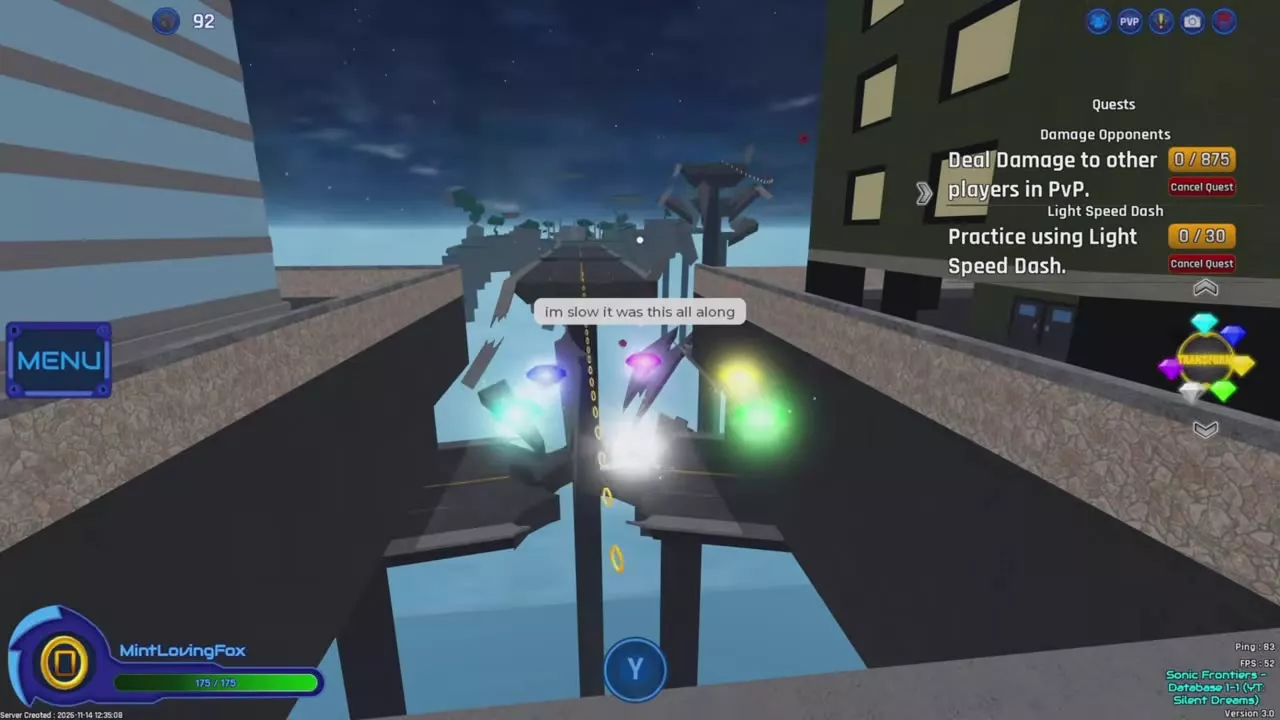
Light Speed Dash rapidly carries you along a suitable line of Rings. Use it to cross gaps or climb upward Ring trails.
- Move close to the Ring trail. With the listed controller mapping, a Y prompt appears beside suitable trails.
- Press E with the listed keyboard mapping, or Y with the listed controller mapping.
- Follow the trail to the next platform or the route above.
Complete Rocks's Light Speed Dash quest for regular use. Its rewards include Light Speed Dash Level 1 and Free Play access. After unlocking Free Play, choose Freeplay at the Light Speed Dash entrance to revisit the route.
For the 30-use practice objective and hand-in steps, follow the Light Speed Dash unlock quest.
Ring Capsule quest and starting Rings
Accept Cachi's quest
- Find Cachi in the park, near the picnic tables, and approach the blue interaction circle.
- Open Quests and select Ring Capsule.
- Let the introduction finish or choose Skip, then select Accept.
- Check that the quest is marked Accepted and appears in your quest tracker.
- Defeat Badniks and collect their stolen Rings until the quest counter reaches 200.
The objective counts Rings stolen by Badniks, not simply any 200 Rings collected around the map. Completing the quest rewards Ring Capsule Level 1.
Starting Rings and upgrades
Ring Capsule Level 1 gives you 50 Rings when you spawn. Its effect activates on spawn, so there is no separate ability button to press.
Talk to Yuma, open Workshop, and upgrade Ring Capsule to increase your starting Rings. Each level raises the amount you spawn with.
Workshop and quest guides
- Workshop abilities and upgrade choices: compare movement, teleportation and Ring benefits.
- Light Speed Dash quest: complete Rocks's practice challenge and unlock Free Play.
- Chao and the Double Rings quest: unlock Double Ring Chance through Shoe's request.
- Ring collection and the 999 Ring cap: find Ring sources and understand carried Rings versus other counters.
- Quests, NPCs and rewards: find quest givers and their rewards.