How to Use Form Outfits in SURPG
Give your Super and Dark forms different looks using saved Roblox avatar outfits.
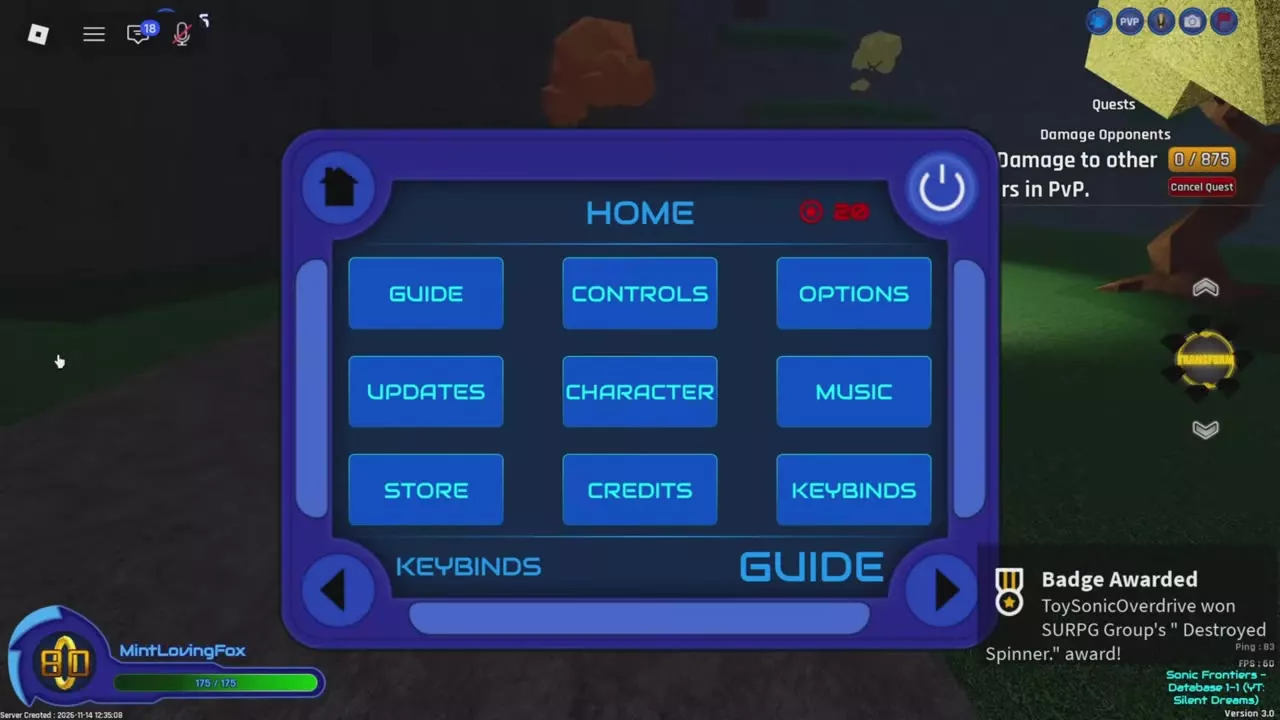
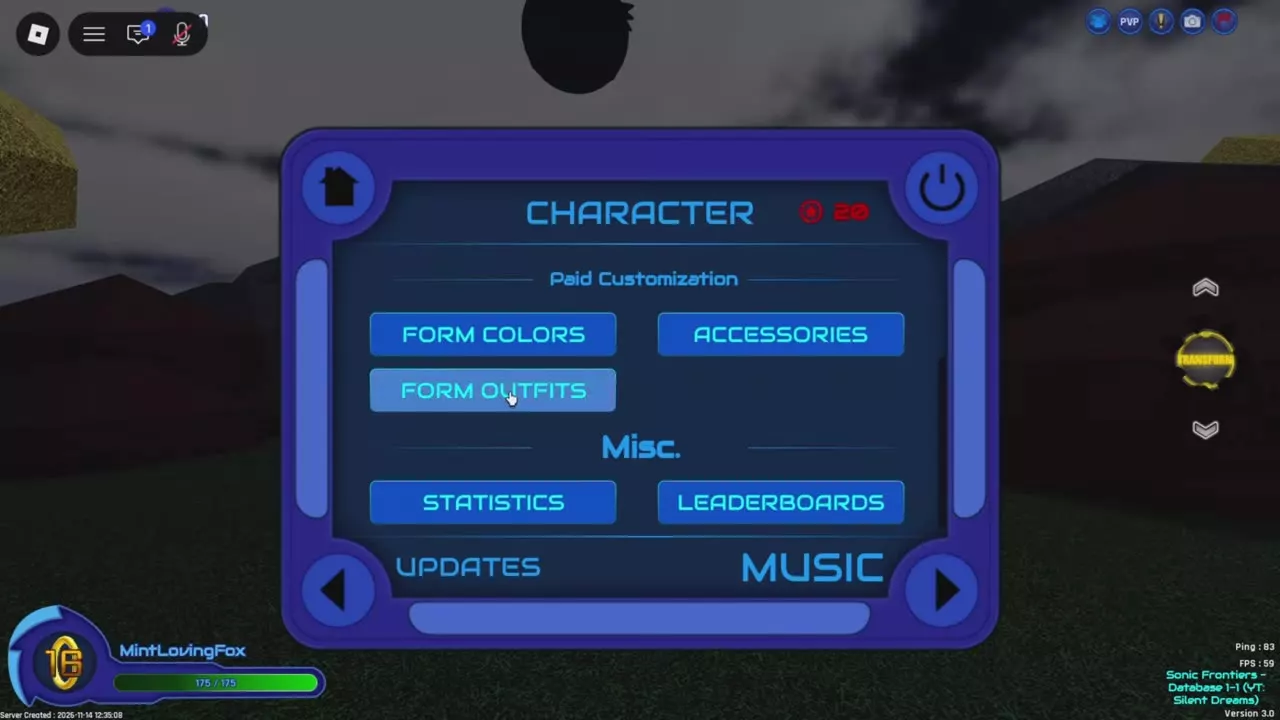
Unlock Form Outfits, save your outfits in the Roblox Avatar Editor, and allow SURPG to access them. Open Menu > Character > Form Outfits, select Super or Dark, and choose an outfit. Select None to remove a form’s assignment.
Separate outfits for Super and Dark
The Form Outfits gamepass unlocks saved Roblox outfits for transformations. You can assign a different outfit to Super and Dark.
Your base appearance uses the avatar outfit you wore when you joined. If you change your outfit during the session, your base appearance uses the changed outfit.
Save your Roblox outfits
- Open Avatar on Roblox and create the outfit you want to use.
- In the Avatar Editor, open Characters > Creations > Create New Character.
- Save the outfit. Repeat for any other look you want to assign.
Open Form Outfits and allow item access
- Launch SURPG and open Menu. On PC, press M.
- Select Character, then Form Outfits under Paid Customization.
- When the Access Items prompt appears, choose Ok to let the game load your saved outfits.
Assign and preview an outfit for each form
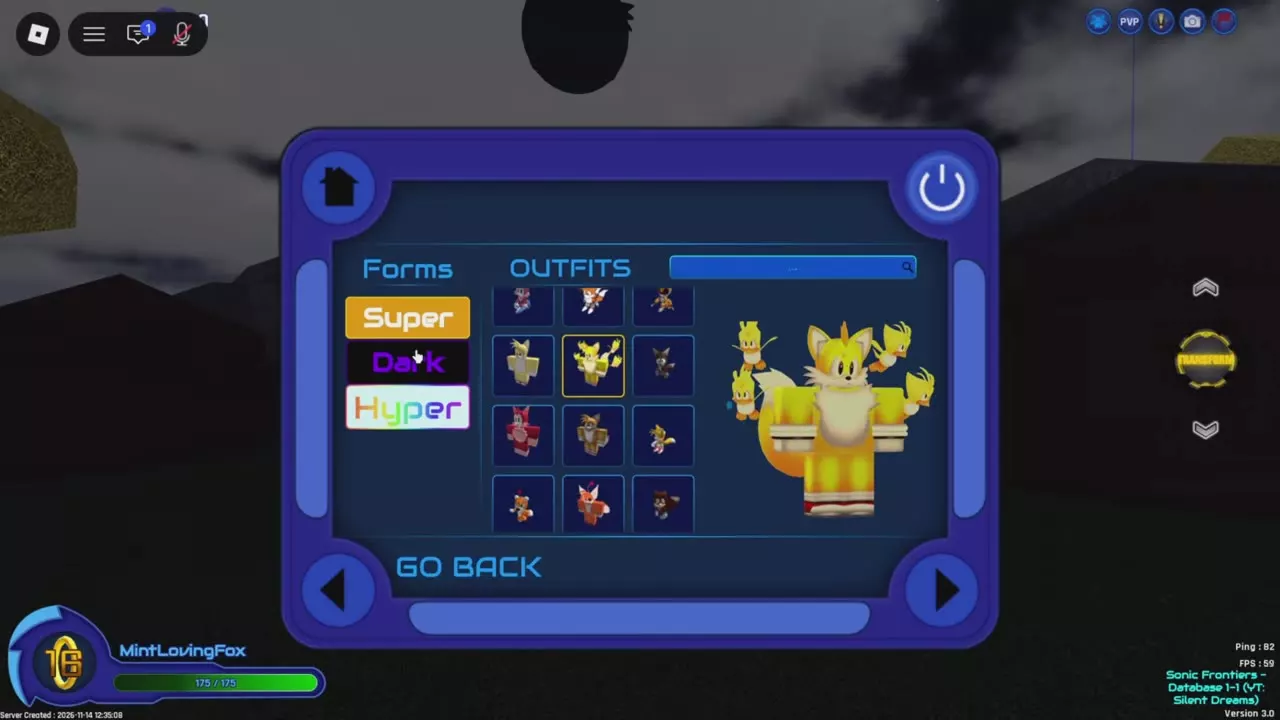
- Select Super or Dark on the left.
- Choose a saved outfit from the outfit list. Scroll through the thumbnails or use the search bar to find one; selecting a thumbnail displays a character preview.
- Select the other form and choose its outfit. Each form uses its assigned outfit when you transform.
The menu also includes a Hyper category.
Remove an assignment with None
In Form Outfits, select the form whose outfit you want to remove, then choose None from the outfit list. This clears that form’s assignment.
Other appearance options
For aura colors, accessories and animation previews, see SURPG character customization. Compare appearance pass features and prices in the gamepasses guide.